In closed testing · Opening soon

Move first.
Scroll after.

FitGuard keeps the apps that eat your day locked until you've done real push-ups and squats. AI watches your form through the camera and counts every rep, so the screen time you get back is screen time you earned.

We'll email you the link when FitGuard opens, nothing else unless you tick the box. Leave any time. Privacy

  • AI rep counting
  • Free to start
  • Video never leaves your phone
FitGuard lock screen: the guard dog says “Nope. YouTube stays shut until you move.” with a button to do 30 push-ups now.
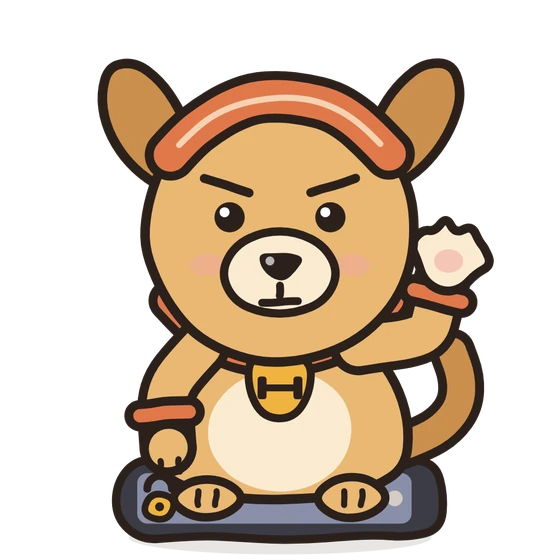
FitGuard's guard dog sitting on a locked phone
How it works

Four steps, then it's on you.

  1. Set today's plan

    Choose your exercises, your reps and how much screen time they earn, from 5 to 60 minutes.

  2. Pick what to block

    A whole app, or only its Reels, Shorts and short-video tab.

  3. Turn on the Guard

    Open a blocked app and the lock screen shows up instead.

  4. Move to unlock

    Do your workout in front of the camera. The AI counts your reps and your apps open.

Home screen with today's locked plan, a 14-day streak and screen time
A small plan a dayearns your screen time
Camera setup for squats: place the phone to your side and the AI tracks your hips and knees
AI counts every repprop up your phone and move
Progress screen with screen time today and recent workouts marked with good and partial reps
Every session loggedwith good and partial reps
Trophies screen: 6 of 42 pins collected, a 14-day streak and the November pin
42 pins to collectand a new one every month
Achievement unlocked: the Push-up Beginner pin
Pins you earnone rep at a time
What's inside

Half blocker, half coach.

AI that counts real reps

  • AI pose detection follows your body through the camera and checks your form on every rep
  • Good, partial and missed reps, so you know how clean it was
  • A voice coach that counts out loud
  • Rest timer with a breathing guide between sets

Block smarter

  • Whole apps, or only Reels, Shorts, TikTok-style feeds and Spotlight, in the app and in your browser
  • A daily screen-time budget that only counts time in blocked apps
  • Deep Focus: block everything for a set time
  • Monk Mode: lock the Guard on and walk 10,000 steps to turn it off Premium
  • Blocking schedules for the hours and days you choose Premium

Stay on track

  • Streaks, an activity calendar and a sticker album of achievements
  • Step counter and a home-screen widget
  • Targets that grow as you get stronger
  • Friends, a weekly leaderboard, 1v1 challenges and accountability groups
Everything inside

The whole list.

Blocking

  • Block whole apps
  • Block only Reels, Shorts and short-video feeds
  • Block the same sites in your browser too
  • Lock screen with the guard dog and a science fact
  • Daily screen-time budget you earn
  • Daily allowance: a set number of minutes, no workout needed
  • Reels-only apps spend your minutes only while a reel is playing
  • Countdown while your minutes run
  • Deep Focus: block everything for a set time, except the apps you allow
  • Monk Mode: 10,000 steps to switch the Guard off
  • Up to 4 blocking schedules by hour and day
  • Rules can't be loosened while the Guard is on
  • Screen-time and "stopped today" stats

AI workouts

  • AI rep counting through your camera
  • Form check on every rep: good, partial or missed
  • 9 exercises: push-ups, squats, jumping jacks, lunges, sit-ups, planks, burpees, high knees, mountain climbers
  • Voice coach that counts out loud
  • Rest timer with a breathing guide
  • Custom workout circuits
  • Targets that grow as you get stronger
  • Animated demo for every exercise
  • All of it runs on your phone

Staying with it

  • A locked daily plan you set yourself
  • Optional daily step goal
  • Streaks and an activity calendar
  • 42 trophy pins to collect, plus a new pin every month
  • Trophies for 1v1 wins and group streaks
  • A fresh daily challenge
  • Monk Mode ranks, from Initiate to Ascended
  • Step counter
  • Home-screen widget
  • Progress charts and full history

Friends and the rest

  • Friends and a weekly leaderboard
  • 1v1 challenges with a 24-hour deadline
  • Accountability groups with a shared streak
  • Use it as a guest, or sign in to sync
  • 6 languages: English, Spanish, Portuguese, French, German, Arabic
  • Light and dark mode
  • Data export
  • No ads, and your video never leaves your phone
Privacy

Your camera stays yours.

The camera is only on during a workout and the AI processes every frame on your phone. No video is ever stored or uploaded.

  • Usage access and display over other apps: to see when a blocked app opens and show the lock screen.
  • Accessibility Service (optional, Reels-only blocking): reads only the app name and on-screen labels of the apps you chose, never your typing or messages. Nothing leaves your phone.
  • Camera: to count your reps.
  • Physical activity: to count your steps.

Read the full privacy policy

Free and Premium

Free is enough to start.

Free

Everything you need to build the habit.

  • Push-ups, squats and jumping jacks
  • Up to 3 blocked apps, Reels-only on 1 of them
  • Deep Focus up to 30 minutes, once a day
  • Streaks, achievements and daily challenges
  • Voice coaching
  • Friends, leaderboard, challenges and groups

Premium

More control, for when you want it stricter.

  • Reels-only blocking on every app
  • Monk Mode
  • Unlimited Deep Focus and blocked apps
  • All 9 exercises: adds lunges, sit-ups, planks, burpees, high knees and mountain climbers
  • Blocking schedules
  • Progress charts, full history, custom circuits and data export
Questions

Before you ask.

When can I get it?

FitGuard is in closed testing right now. Join early access, tell us your phone, and we'll email you the link the day it opens.

How does the AI count my reps?

It finds your body's joints in the camera picture, measures the angles as you move, and counts a rep only when you go through the full range. Each rep is marked good, partial or missed.

Does my camera video go anywhere?

No. Frames are analysed on your phone to count reps. Nothing is recorded, stored or uploaded.

Can't I just switch it off when I'm tempted?

It's your phone, so yes. But while the Guard is on you can't remove apps from the list or loosen the rules, and with Monk Mode (Premium) the Guard stays on until you've walked 10,000 steps.

Is it free?

Yes. The free plan covers three exercises and three blocked apps. Premium is optional and adds more control.

Do I need an account?

No. You can use FitGuard as a guest. An account adds sync, friends and challenges.
Be first through the door.

Leave your email and the guard dog will fetch you the link the day FitGuard opens.

We'll email you the link when FitGuard opens, nothing else unless you tick the box. Leave any time. Privacy